Fart Together Keyboard Controls: Keybindings & Mouse Layout
Default keyboard bindings and controls for steering, fart propulsion, and unstuck actions in Fart Together.
Fart Together Keyboard Controls: Keybindings & Mouse Layout
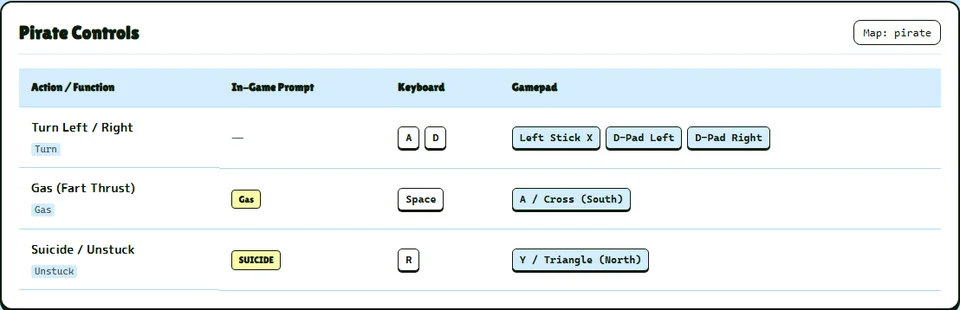
On keyboard, steering the raft is mapped to A and D to turn left and right. Gas fart thrust is triggered by pressing Space to propel the raft forward. If the raft gets stuck, pressing R executes the suicide unstuck action.
For complete raft physics and gas consumption tuning, visit the gas mechanics guide.
Camera Navigation and Menu Shortcuts
Camera orbit is controlled using the Arrow keys or Mouse Move. Camera zoom uses the Scroll Wheel, while panning is bound to the Z and X keys. Players can press C to cycle camera mode, while V resets the camera view.
In the lobby, players toggle ready with the Space key and cancel ready with the X key. The host presses Enter to start, and participants select colour using the A and D keys. Players can press Esc to activate the pause menu during a run.
For gamepad setup and controller button mappings, read the controller support guide or see the beginner overview.